With complicated learning units, you waste time and money: if your participants are bored or do not understand the content, you can save yourself the trouble. This is why Learning Nuggets based on the principle of microlearning are THE method for sustainable learning. Read this article to find out how to think about the big picture in small terms.
What are Learning Nuggets?
A Learning Nugget is a small learning unit. The focus is 100% on one topic or message. Similar to an elevator pitch, a Learning Nugget is designed to convey a single message as compactly and understandably as possible. To ensure long-term learning success, a Learning Nugget should also be attractively designed and make learners want to learn more. (👉 How to build complete online courses from small units)
In brief, a Learning Nugget is:
a short learning unit
many formats are possible (text/image/quiz/video etc.)
conveys a single message
is clear and understandable
arouses interest in the topic
ends with a call-to-action
If you use many Learning Nuggets in a row, you should also pay attention to the following:
Establish a connection to the previous Learning Nugget.
Refer to the next Learning Nugget.
Group related Learning Nuggets into chapters.
Vary the format (text/image/quiz/video).
Why is a learning unit called a Learning Nugget?
In German, we mainly use the term for small chicken pieces (Chicken Nuggets). Originally, a nugget is a small lump of pure gold. Either way, a nugget is one thing above all: small! For use in e-learning, the chicken nuggets analogy fits in terms of making your learning units as tasty as possible (to be taken with a wink). And the gold analogy fits in that your learning units contain valuable messages.

This is what we imagine when we think of nuggets: chicken pieces and gold nuggets. Both have one thing in common: they are small parts of a larger whole.
How short can a Learning Nugget be?
As a rule of thumb, a Learning Nugget should be as short as possible and as long as necessary. In the context of e-learning or blended learning, this means that each nugget should be fully graspable within a maximum of 2 minutes.
By the way: the blink.it learning platform consists of individual blinks that work exactly like a Learning Nugget. Read more in this article: What is a Blink? The 2-minute learning concept
However, you shouldn't look meticulously at a specific time. If you want to shorten existing learning content, rather ask yourself: What is the message you want to convey? You should be able to formulate every message in a single sentence.
Rule of thumb: If you find several messages in one learning unit, you can create several Learning Nuggets from it.
A good Learning Nugget could look like this:
(2 sentences) Introduction from the previous topic / Learning Nugget
(2 sentences) Description of the problem
(1 sentence) Message
(2 sentences) Meaning for the learner
(1 sentence) Call to Action: What should the learner do now?
You will notice: a total of eight sentences probably won't even fill the two minutes. Don't focus on the clock, but on the introduction – message – call to action. In this way, your Learning Nugget will automatically be as short as possible and as long as necessary!
Examples of Learning Nuggets
A Learning Nugget can have many formats. In addition to text or video, a mini-quiz or a part of a larger quiz is also possible. Or you can let images speak for themselves and simply add a short call-to-action to the image containing your message. The rule "Match the format to the goal" (and not the other way around) is particularly important for Learning Nuggets.
To give you some illustrative examples of Learning Nuggets, next I will show you extracts from the Rocket Pack – the blink.it card game for blended learning. Just like Learning Nuggets, it is based on the microlearning principle and contains 40 methods on 40 cards.
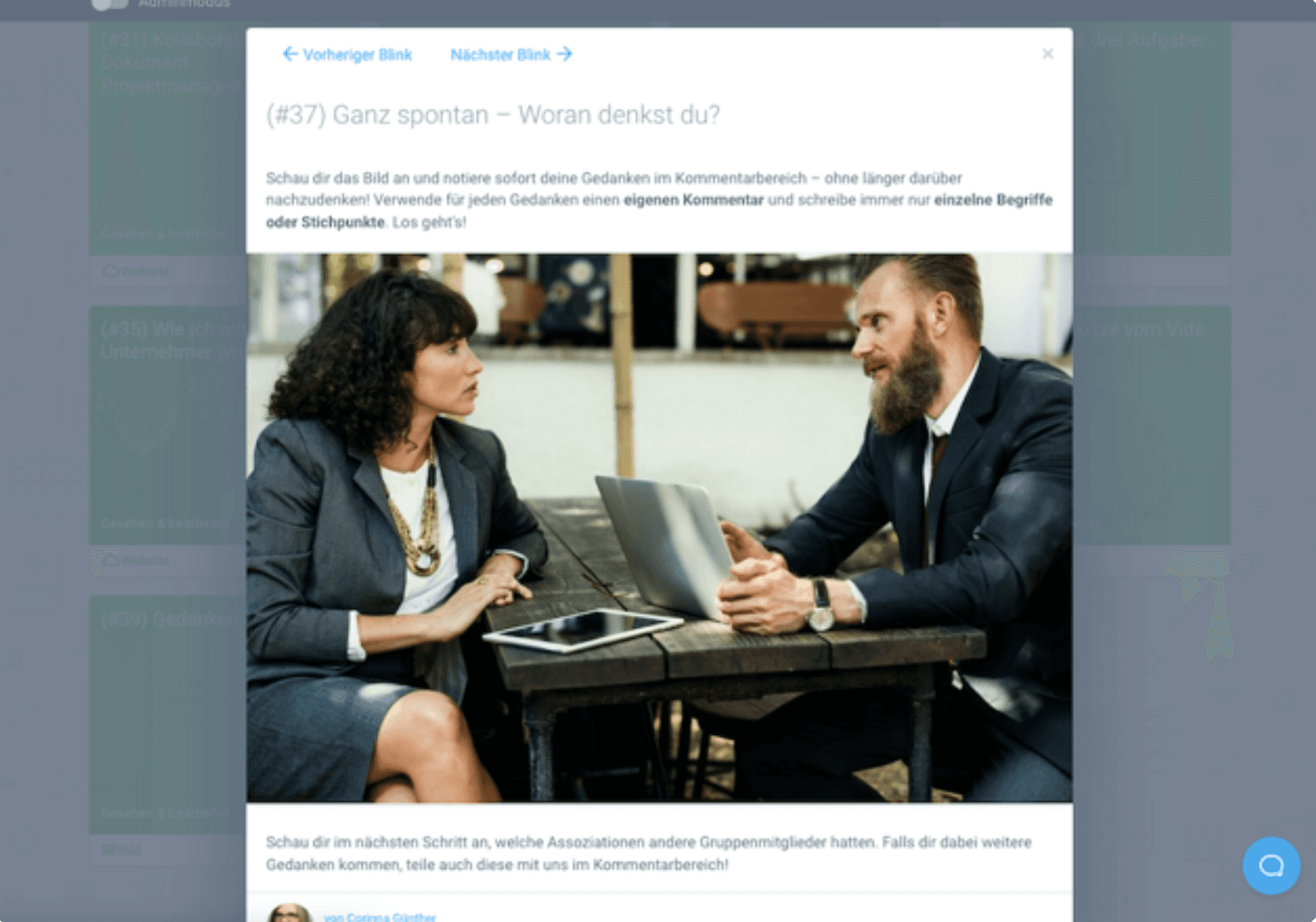
Example 1: A Learning Nugget as an image
This is what a Learning Nugget that contains an image as its main content could look like. Think about the components of a Learning Nugget: Introduction – Message – Call to Action.
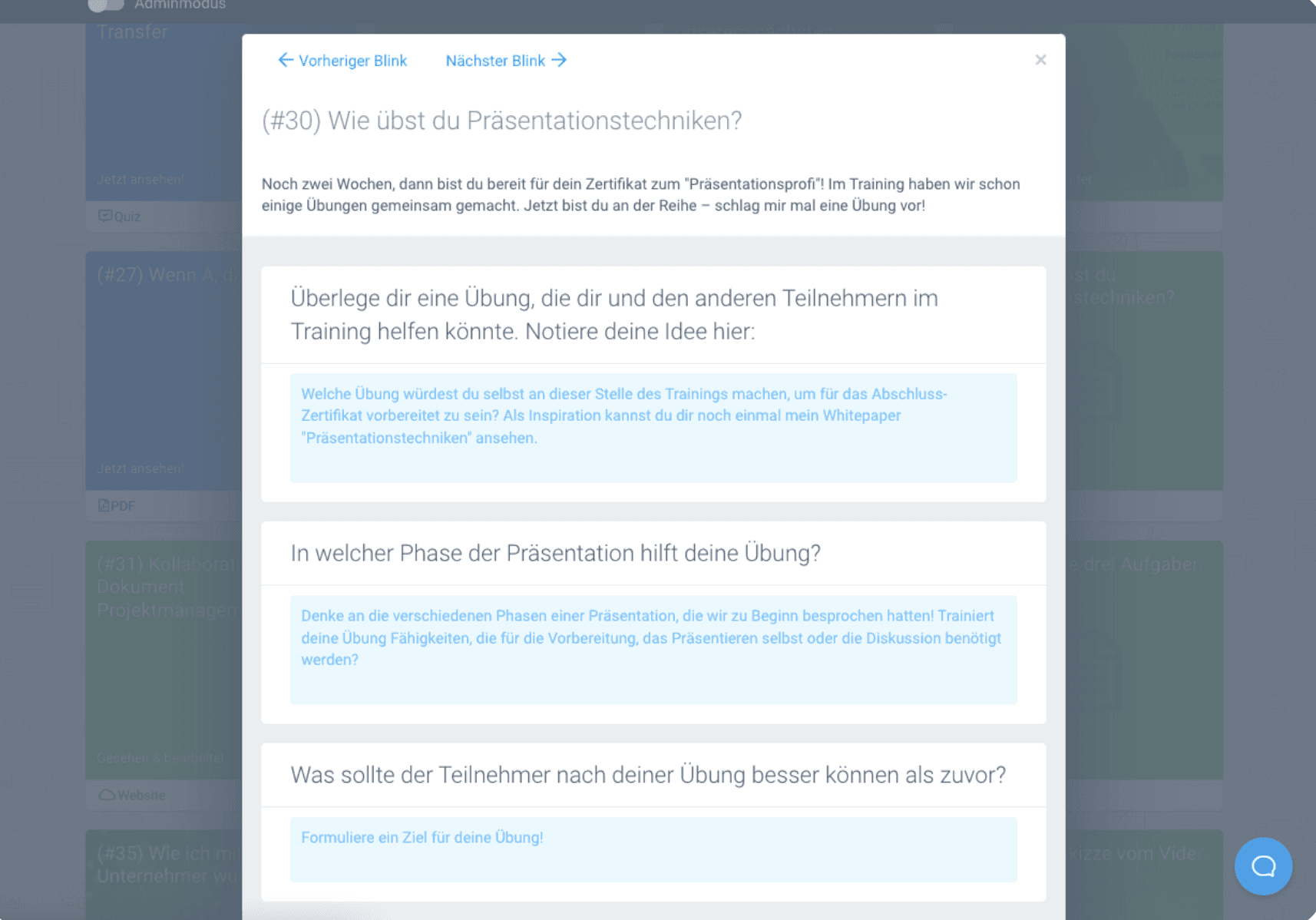
Example 2: A Learning Nugget as a quiz
This is what a Learning Nugget in a quiz format could look like:
Example 3: A Learning Nugget as a video
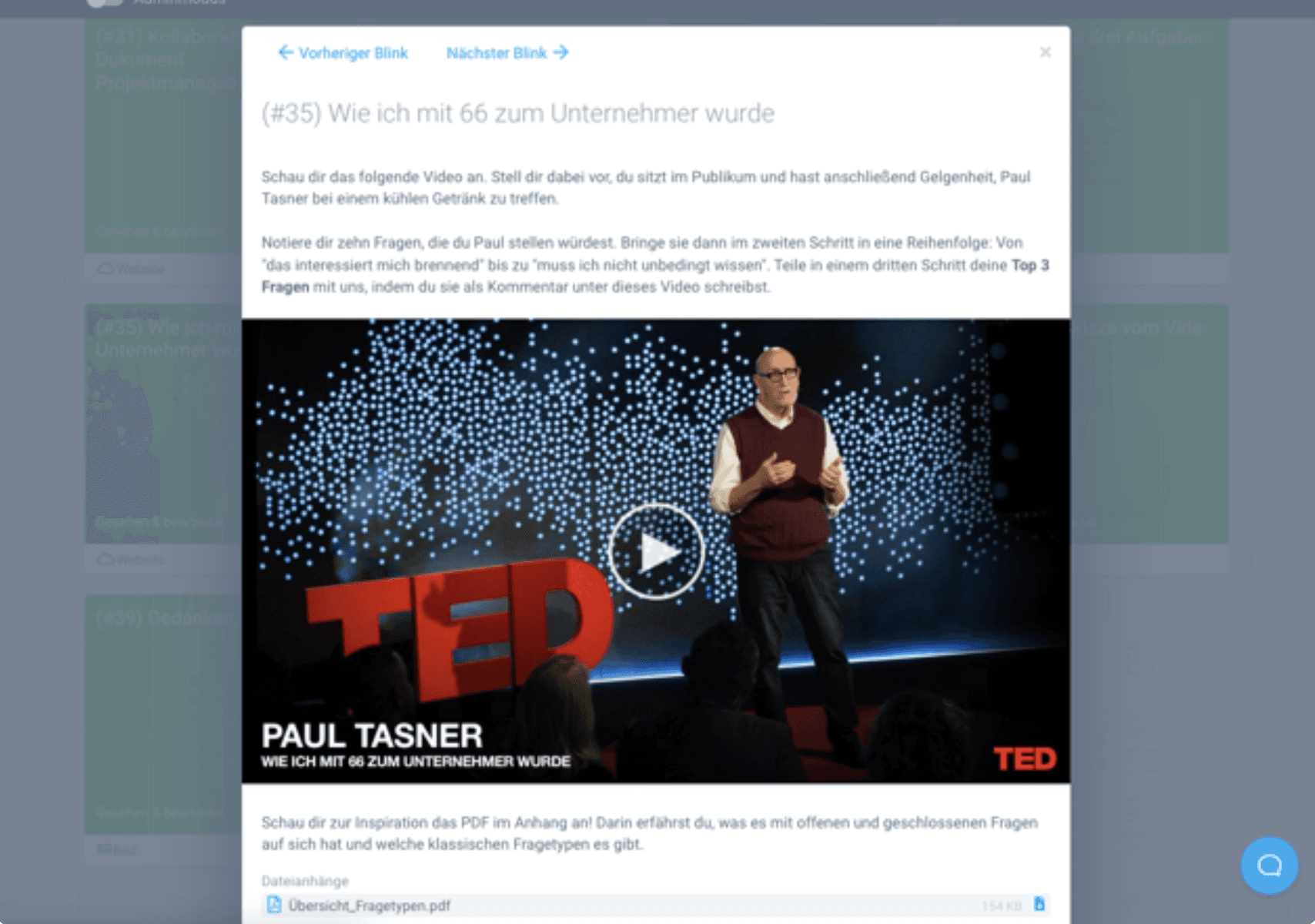
Finally, an example of a Learning Nugget in video format:
YOU design your Learning Nuggets!
Let's take a quick detour on the topic of Learning Nuggets: Do you use X (formerly Twitter)? The microblogging service X is based on the concept of short messages. This means that all messages are limited to 280 characters. Nevertheless, there are successful and unsuccessful tweets.
What I mean by this is that brevity alone is not enough. Think of your recipients with all your "nugget messages": What do you want to say to them? How can they understand the message most easily? And how should they handle the message (Call-to-Action)?
3 ultimate tips for using Learning Nuggets
To ensure that this article also fits the concept of Learning Nuggets, I would like to end with three crisp tips. This is how you succeed in using Learning Nuggets in training:
The right learning platform
Practice, practice, practice
Gather feedback
Tip 1: The right learning platform for Learning Nuggets
Not every learning platform is suitable for using Learning Nuggets. When making your choice, make sure you can set up several short pieces of content in a row. Grouping them into chapters is also very helpful for Learning Nuggets. Last but not least, a good customer success team supports you in keeping your learning content short and sustainable.
Tip 2: Practice, practice, practice
This tip is so obvious and at the same time particularly important: creating Learning Nuggets also takes time and practice. Just start by shortening your content to the core messages. Then add the introduction and call to action. After that, do something else in the meantime. And then look at your Learning Nugget again with a clear head: Can you shorten it even more, is something still missing? Plan several rounds for each Learning Nugget.
And remember: it is a high art to break down complex content in a simple way!
Tip 3: Gather feedback
Fitting to the previous tip: get feedback from colleagues or friends! The view from the outside is extremely helpful. Does the other person understand what you want to say? Do they know what to do next? Especially with your first Learning Nuggets, we advise you to show them to several people before using them in training. Ask concrete questions: "What is the message you read/hear?" or "What would you do right after?" – this is how you test your Learning Nugget for the points mentioned above.
Conclusion
Sustainable learning success is not achieved through long content, but through clearly structured, focused learning units that convey a message and lead directly to action.
Learning Nuggets force you to think big and formulate small. This is precisely where their strength lies. Instead of expanding content unnecessarily, you concentrate on a clear statement, an understandable context, and a concrete call to action.
Microlearning works not because it is short, but because it is precise. When every learning unit serves a clear purpose and is deliberately designed, a structured, sustainable learning system is built step by step.
So review your training regularly: Do you convey knowledge in compact, understandable units with a clear message? Or do you hide valuable content in learning units that are too large?
Those who can think about the big picture in small terms create training courses that are understood, remembered, and applied.

Frequently Asked Questions and Answers
What is a Learning Nugget in e-learning?
A Learning Nugget is a short, clearly focused learning unit that conveys exactly one message. The goal is to make content quickly understandable and to encourage learners directly to a concrete action or reflection.
Why do small learning units often work better than long content?
Short learning units reduce overwhelm and help learners focus on a core message. This makes content easier to understand, better remembered, and faster to apply in everyday life.
How long should a Learning Nugget ideally be?
A Learning Nugget should be as short as possible and as long as necessary. In digital learning, the general rule of thumb is that a unit should be fully graspable within about two minutes.
Why does a good Learning Nugget need a clear call to action?
A concrete call to action helps learners actively think ahead or apply what they have learned directly. As a result, the learning unit does not remain purely passive consumption, but supports sustainable knowledge transfer.